Dragon Copilot for Radiology
Designing AI-assisted reporting that integrates into radiologists’ existing workflows, from the long-term product vision to the first release, Copilot chat.
- Role
- Product Designer
- Duration
- 2025–2026
- Team
- UX, UXR, PM, Eng, RAI, Accessibility
- Focus
- Design concept strategy, storyboarding, interaction design
01 — Problem
Growing workloads, fragmented workflows
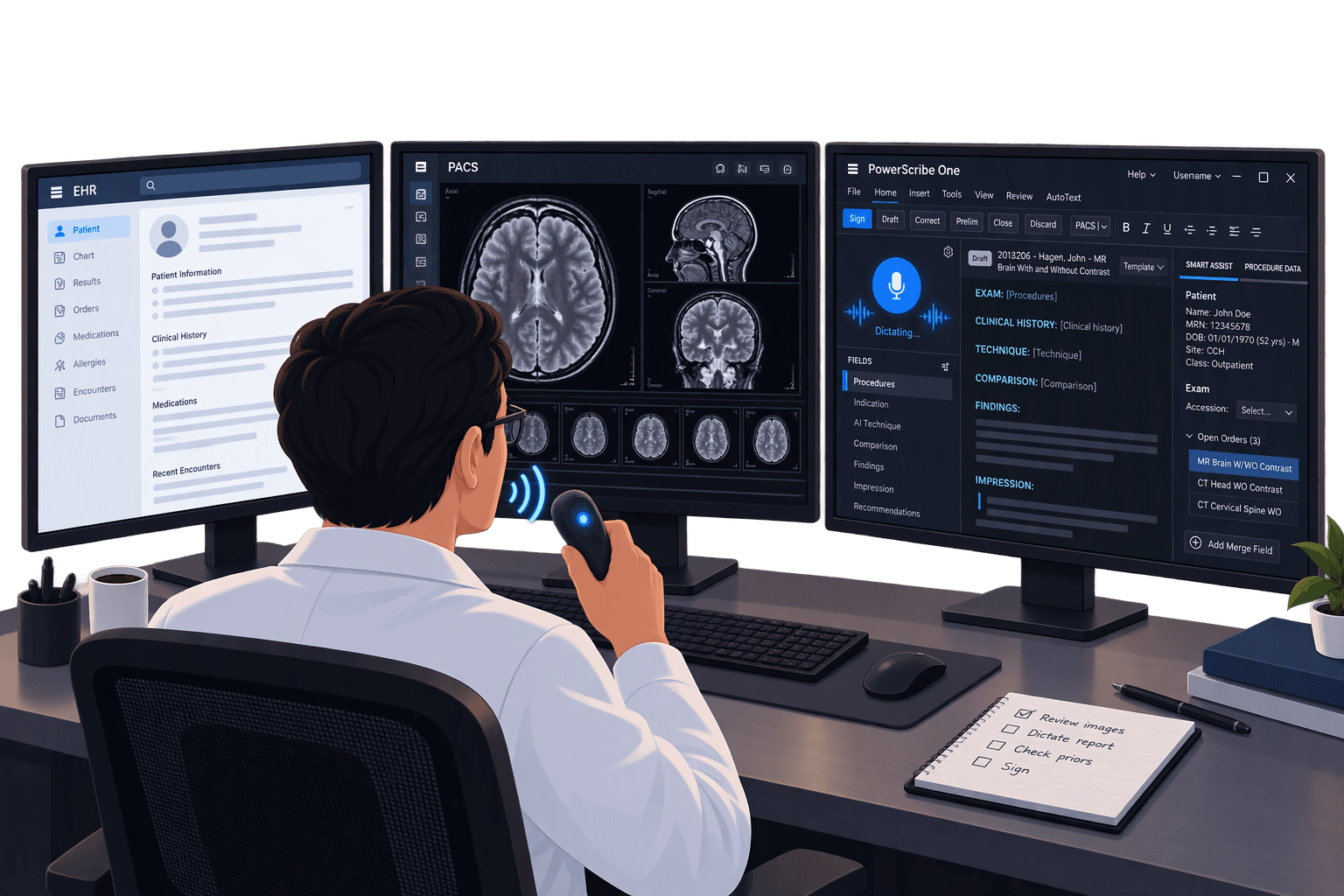
Radiologists face growing workloads while frequently searching across reports and external resources to understand complex findings. These fragmented workflows create interruptions and add time to reporting, revealing an opporunity for AI to bring relevant information and guidance closer to the point of work.
- Studies read per radiologist, per day
- 100–150
- Radiologists interviewed and observed
- 13
“We are all up to our ears at work and it doesn’t seem like this increase in workload is going away.”
— Radiologist
02 — Public Preview
AI assistance within the reporting workflow
Private preview
Dragon Copilot introduces AI assistance directly within the PowerScribe One reporting experience. The companion helps radiologists access information and work through questions without leaving their workflow, reducing context switching while keeping them in control.
Early feedback from radiologists
“Helps to make you more accurate. It prompts you with context you may have otherwise ignored.”
“I can look at one screen, get a general idea of the reports for relevant priors.”
“It tells me all of their imaging findings in a more concise way and gives me context comparing it to the prior.”
03 — Design overview
Inside the Copilot experience
A closer look at how Copilot supports each step of reporting, and the lightweight feedback loop built into the experience so it keeps improving through the private preview.
Feedback interaction
A lightweight way to rate the product and flag specific AI features, which drove a 300% increase in feedback submissions.
Full case study, including design decisions and process, available on request. sammiekim1227@gmail.com